Xreal Aura Review: Android XR Glasses Pair Spatial Computing With a Pocketable Puck
- Cargo
- Machine Learning
- Shipped
- Shipper
- [email protected] (Brandon Hill)
- Readers
- 342
Xreal Aura combines 6DoF glasses, hand tracking and Android XR in a separate computing puck. Its versatility comes at a high price.

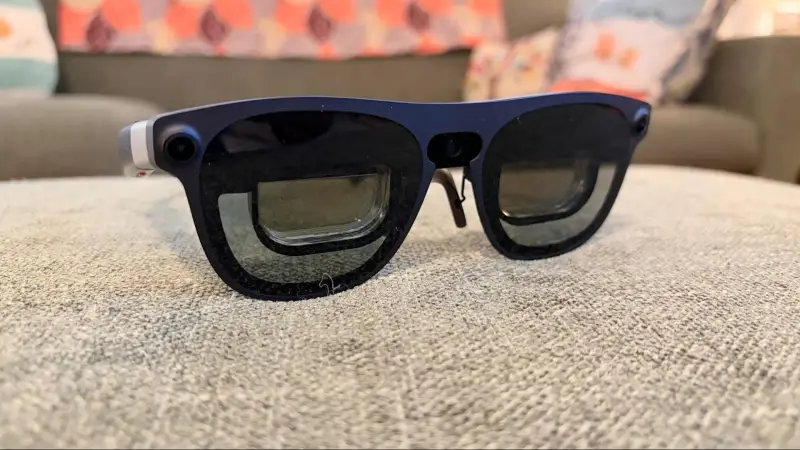
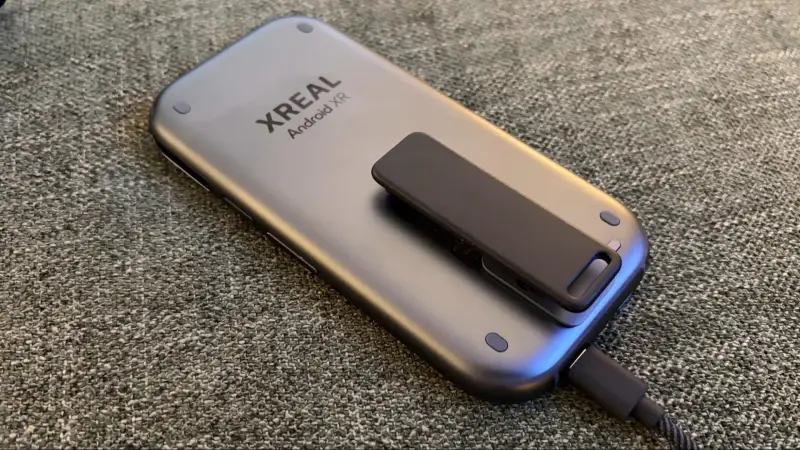
Xreal’s Aura makes spatial computing feel more like using a pair of glasses with a separate computer than wearing a self-contained headset. The glasses weigh 95 grams, while a smartphone-sized puck supplies the Android XR system, battery and processing power. That split keeps the display hardware light, but adds another device to carry and pushes the entry price to $1,099.
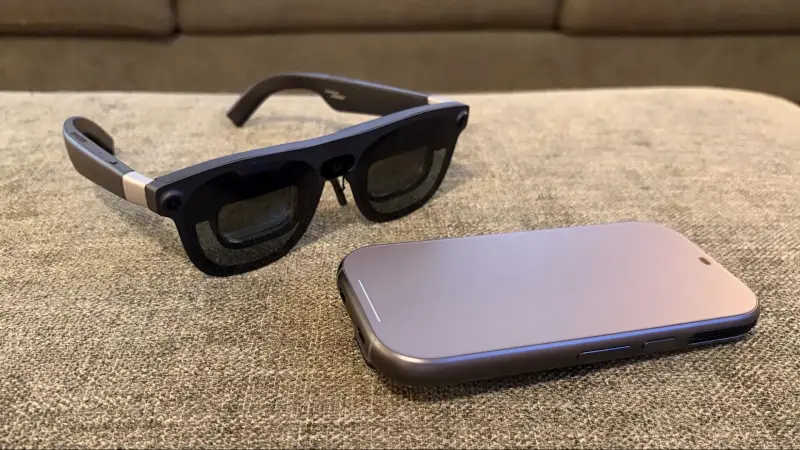
The system is designed to work in two ways. Connected to the puck, Aura runs Android XR and supports hand tracking, multiple virtual app windows and Bluetooth accessories. Connected to a phone, tablet or computer, it can also serve as a display, much like earlier Xreal glasses. That flexibility makes it more capable than a simple external screen, though the puck’s size, heat and cost shape the everyday experience.
Glasses built for tracking and a wide view
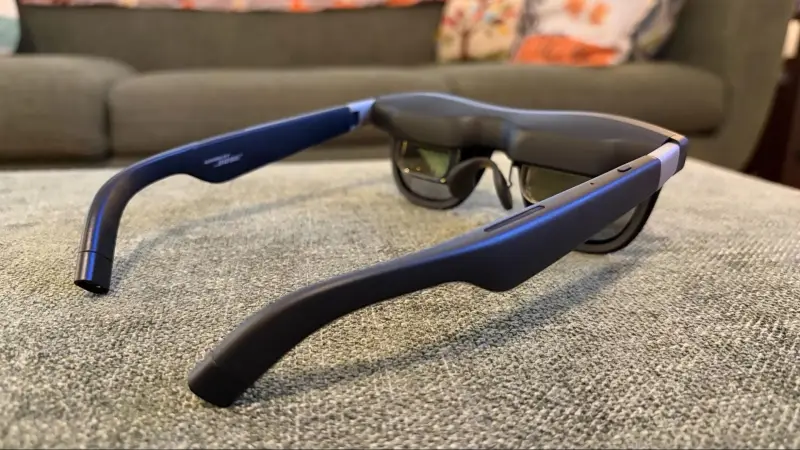
The frame evolves Xreal’s One Series design, with two forward-facing cameras at its corners for tracking head position. That tracking supports six degrees of freedom, including the hand and finger interactions used in Android XR. A camera in the center of the frame captures photos and video; a red indicator lights during recording so people nearby can see when capture is active.
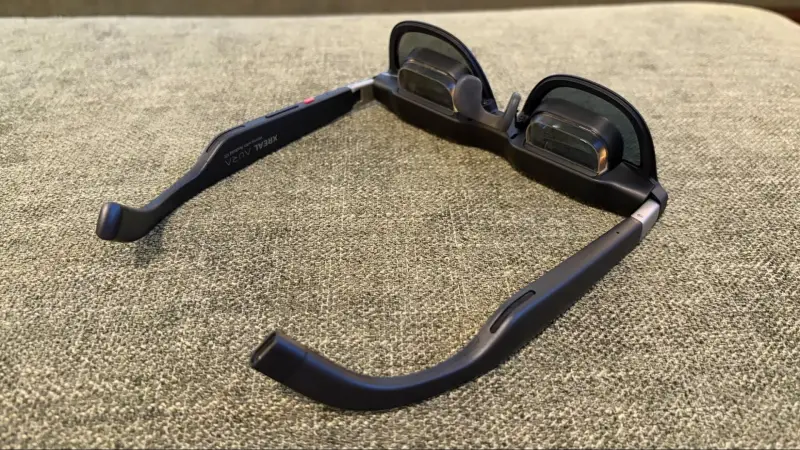
Each eye gets a Sony micro-OLED display with 1920 × 1200 resolution, a 120 Hz refresh rate and peak brightness of 1,050 nits. The field of view is 70 degrees, up from 57 degrees on the One Pro. That wider view gives virtual windows more room, though it remains a defined display area rather than an all-encompassing view of the world.
Xreal offers two frame sizes according to interpupillary distance: Medium for 60–66 mm and Large for 66–72 mm. Electrochromic lenses adjust their transparency automatically or through five manual settings. On the arms, a button adjusts brightness, a rocker controls volume, and the top button on the right opens the home menu with a single press or the capture menu with a double press.
Bose-tuned open-ear speakers are built into the arms. They leave the wearer aware of surrounding sounds, but their audio quality is good rather than exceptional. Bass and clarity are adequate for general use; headphones or wireless earbuds are the better option when immersion matters more.
The puck supplies the computing power
Without the puck, Aura uses Xreal’s X1S Spatial Coprocessor for display functions with compatible phones, tablets, PCs and Macs. The separate Computing Puck connects to the glasses by USB-C and runs Android XR. Its touch-sensitive surface offers another way to control the interface alongside hand gestures.
Inside, Qualcomm’s Snapdragon Reality Elite Platform is rated at 48 TOPS of AI computing power. Buyers can choose 12 GB of RAM with 256 GB of storage or 16 GB with 512 GB; the review unit had the lower configuration. The puck also includes a 4,455 mAh battery, a fingerprint reader, Wi-Fi 6E and Bluetooth 5.3. The glasses weigh 95 grams, and the puck weighs 265 grams.
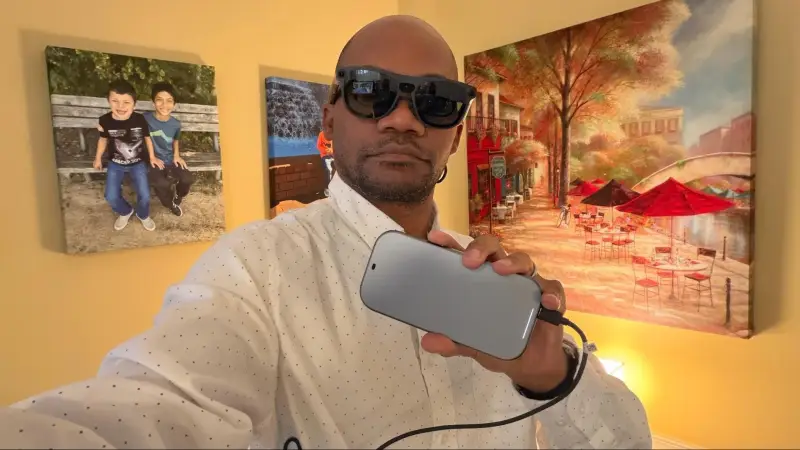
At roughly 5.85 × 2.85 × 0.5 inches, the puck is close to a thick, screenless smartphone. It fits in a pocket, and a detachable clip lets users attach it to clothing. But it can become warm during use, and its cooling fan makes the clip a practical option when carrying it against the body. The split design shifts weight away from the glasses, while leaving users to manage a cable and a second piece of hardware.
Optional controls help with specific tasks
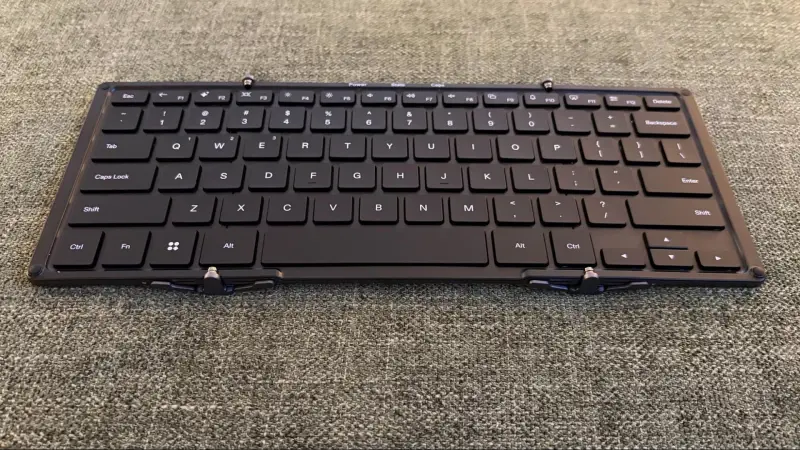
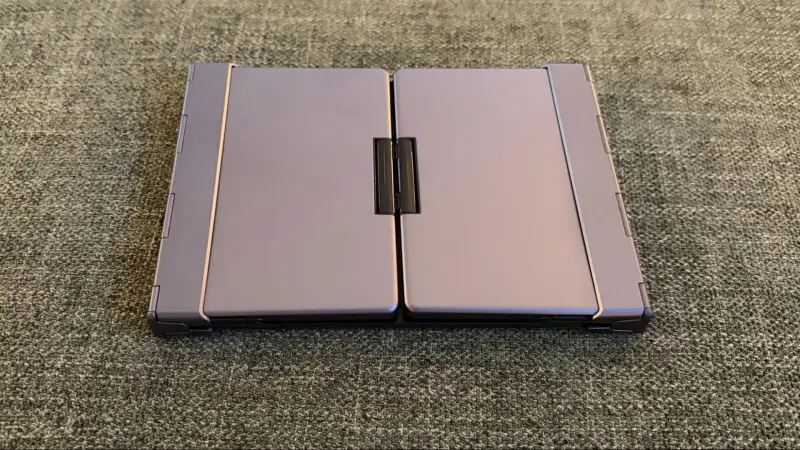
The review kit included Xreal’s foldable keyboard and Bluetooth game controller. Both pair through Android XR’s Bluetooth settings, and users can also connect compatible third-party accessories. The keyboard’s USB-C port sits above the F7 key. It’s useful for email, web addresses and other text-heavy work, where gesture-based typing would be tedious.
There’s a significant ergonomic flaw: the keyboard hinge doesn’t lock when open. Applying pressure with the keyboard resting across a lap can make it fold, so it works best on a desk or with the user’s legs held close together. That limits one of the advantages of working in glasses without a conventional laptop setup.
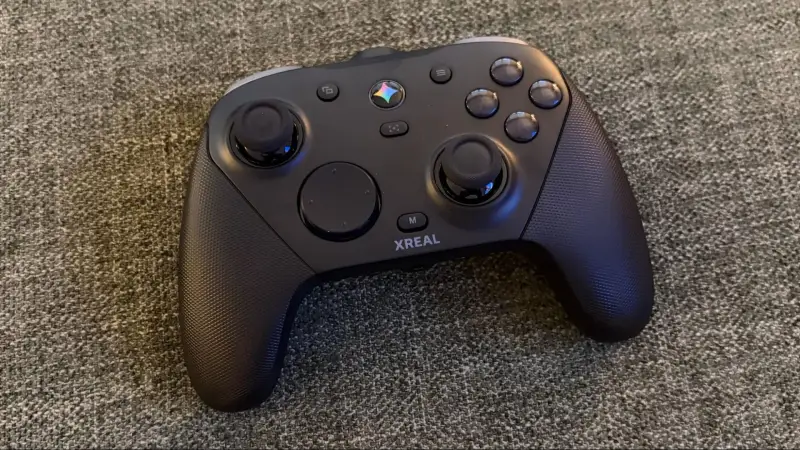
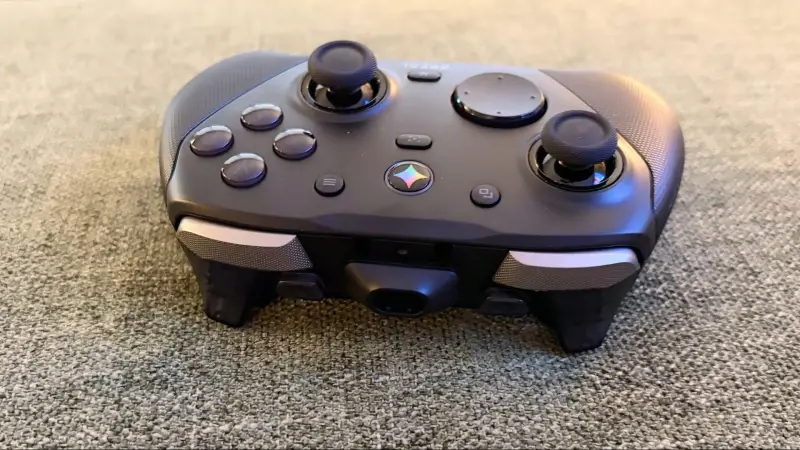
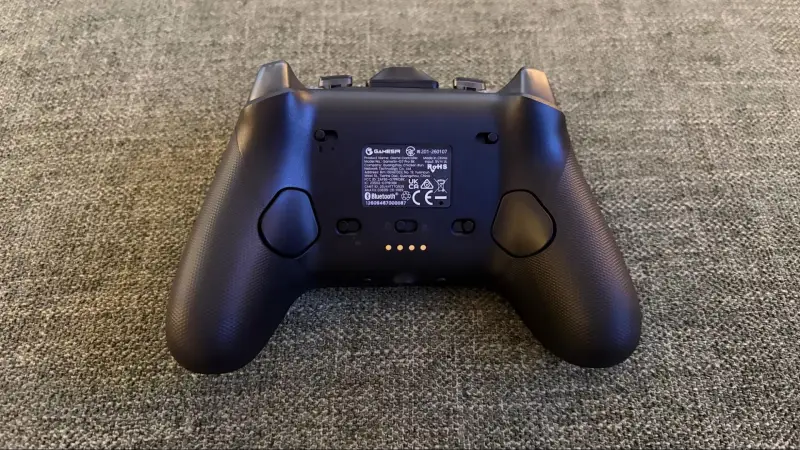
The controller uses an Xbox-style layout with face buttons, two thumbsticks, a D-pad, shoulder buttons and triggers. The triggers can operate as microswitches or Hall effect analog controls. Four macro buttons can be remapped, and switches disable the pair on the underside. A six-axis gyroscope supports aiming and finger controls, while built-in rumble and a 3.5 mm headphone jack add familiar gamepad features.
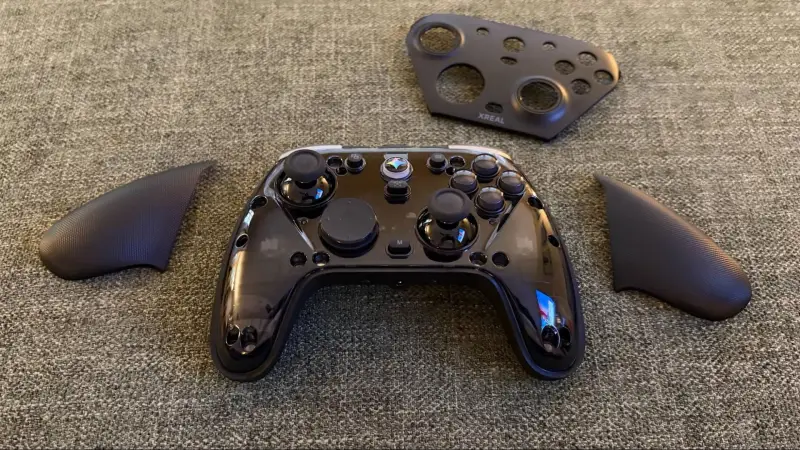
A three-piece magnetic faceplate covers the controls and grips, with replacement pieces available for customization. The controller has textured, rubber-coated surfaces for grip and can connect to a PC through USB-C or a wireless dongle. It charges over USB-C or on the included dock, which connects through a USB-A to USB-C cable.
Android XR mixes with other devices
Initial setup asks users to calibrate the viewing area with finger gestures, then teaches pointing, pinching and dragging. Wi-Fi and a Google account are also required. Signing in with an email address and password through the virtual keyboard was slow for the reviewer, who completed two-step authentication on an iPhone. A nearby Android device can speed up account setup for users who have one.
After the learning curve, the core interactions became easier to use. Apps can be opened with a pinch, placed alongside one another, and moved or resized in the viewing space. Chrome, Gmail and Google Photos bring familiar Google services and account data into the environment. Notifications can be opened directly with a pinch, so a user can move from another task into an incoming email without reaching for a phone.
Aura can also sit alongside a conventional computer. Connecting a MacBook Air to the puck’s second USB-C port mirrored the laptop display in the glasses. The reviewer placed that display beside Android XR’s Gmail and YouTube apps, combining laptop work with native apps in the same view. Lenovo’s Legion Go S running SteamOS and MSI’s Claw 8 EX AI+ running Windows 11 also connected successfully, extending the glasses’ role to handheld PC gaming.
Native games such as Fortnite and Grand Theft Auto III ran through Android XR, with the Xreal controller providing conventional controls. For lighter use, a small YouTube window could stay in the corner of the view while the wearer moved around the house. That mix of anchored virtual windows, external displays and portable gaming is the system’s clearest practical strength: it supports several kinds of use without asking the wearer to switch headsets.
Price sets the limits
The 12 GB/256 GB configuration costs $1,099, while the 16 GB/512 GB version costs $1,299. Adding the Xreal keyboard and controller brought the review configuration to $1,277; the accessories with the higher-capacity puck total $1,477. Those prices make Aura a substantial purchase for a device whose benefits depend on wanting a wearable display and Android XR in the first place.
The trade-off is straightforward. Aura combines lightweight glasses, tracked hand input, a broad Android app library and connections to macOS, Windows and SteamOS devices. The puck avoids placing all the computing hardware on the wearer’s face, but it adds weight elsewhere, can get warm, and must stay connected by cable. For people who want spatial windows and a large virtual display in a glasses form, that package has real range. Its appeal will depend on whether that flexibility is worth the price and the extra hardware to carry.