Cockpit-Simulator CS 737X CDU v2 Review: Premium 737 Controls for MSFS 2024
- Cargo
- Machine Learning
- Shipped
- Shipper
- Dan Mateescu
- Readers
- 954
The $799 CS 737X CDU v2 pairs convincing 737 hardware with fast PMDG 737-800 integration in Microsoft Flight Simulator 2024.
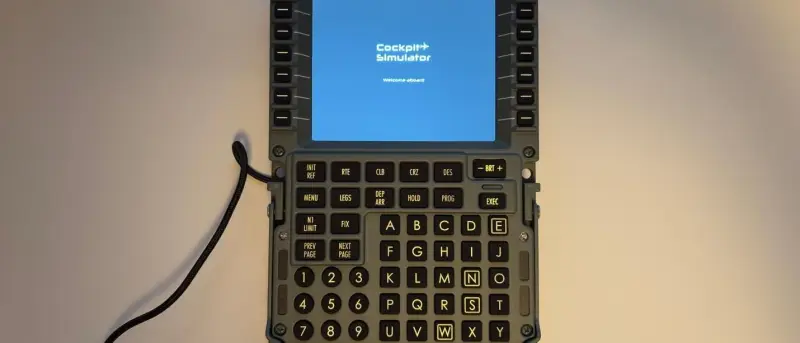
The CS 737X CDU v2 makes a strong case for a physical flight management interface in a dedicated home cockpit. Its metal shell, firm keys and close match to the 737’s display give it a convincing feel, while fast synchronization with the PMDG 737-800 in Microsoft Flight Simulator 2024 makes routine flight management quicker than using the simulator’s virtual CDU. At $799, though, it’s a specialist piece of equipment aimed at builders prepared to spend heavily on cockpit realism.
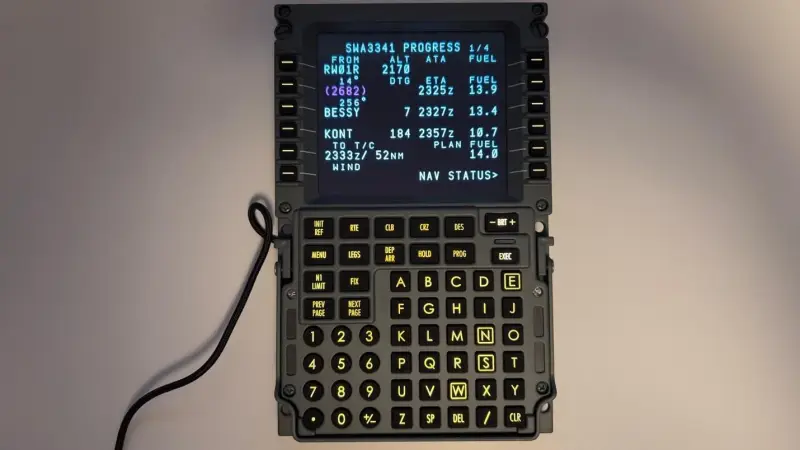
What the CDU does
A 737’s Control Display Unit is the pilot’s main interface to the Flight Management System. Pilots use it to enter or adjust a route, select departure and approach procedures, and provide information the system uses for navigation and performance calculations. The system also tracks fuel and flight progress and supplies guidance to the autopilot.
The controls reflect those tasks. A display presents information in rows, with six line select keys on each side for choosing fields and moving scratchpad entries into them. Function keys open pages for specific tasks, while an alphanumeric keypad handles text and numbers. The CS 737X CDU v2 reproduces this layout at 1:1 scale.
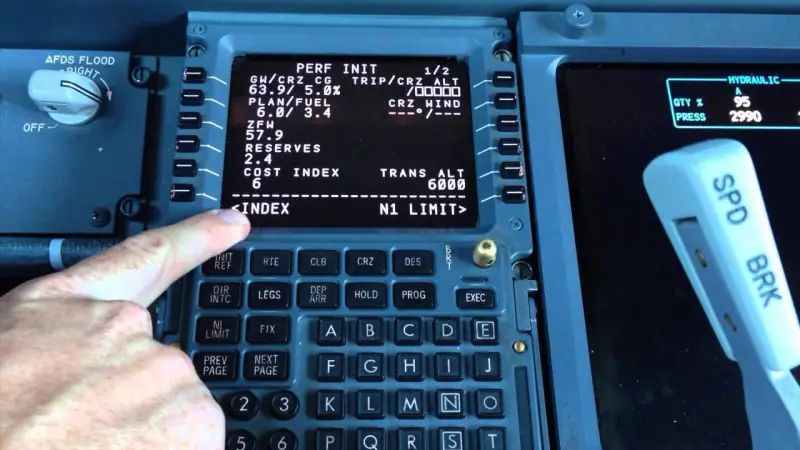
Metal construction, with one visible compromise
The enclosure is CNC-machined aluminum, giving the unit a weight and rigidity that stand out from more consumer-oriented CDUs. Its silicone rubber keys also have a deliberate, firm action. That resistance helps make presses feel purposeful and reduces the chance of entering the same command twice by accident.
The biggest departure from the real aircraft’s unit is the display cover. The 737 CDU uses thick, chemically strengthened anti-glare optical glass; this model has a standard commercial display, so reflections are more noticeable. The screen itself is clear, with wide viewing angles. Its fonts, sharpness and colors closely reproduce the look of the 737 interface.
A handle adds another aircraft detail: on the real unit, maintenance crews use it when removing the CDU. It has little practical need in most home cockpits, but supports the replica’s visual character. The included stand lets the device sit on a desk, and it can also be built into a larger cockpit setup.
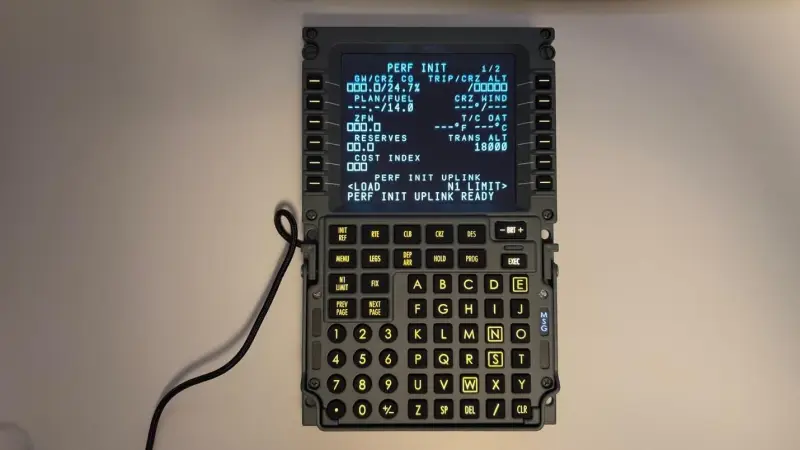
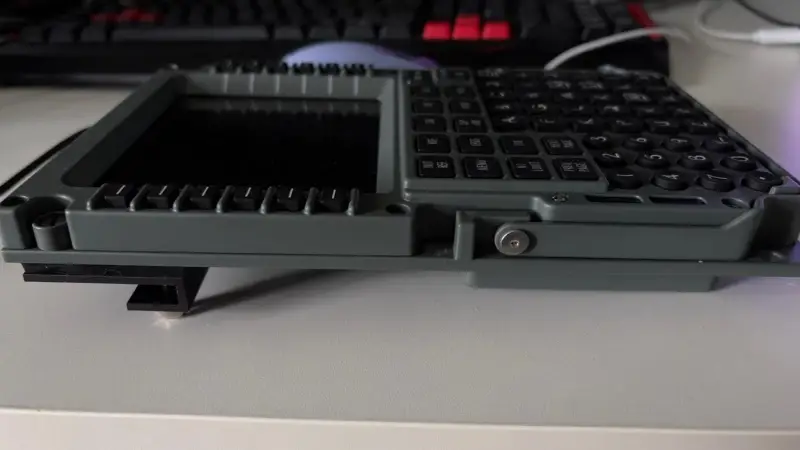
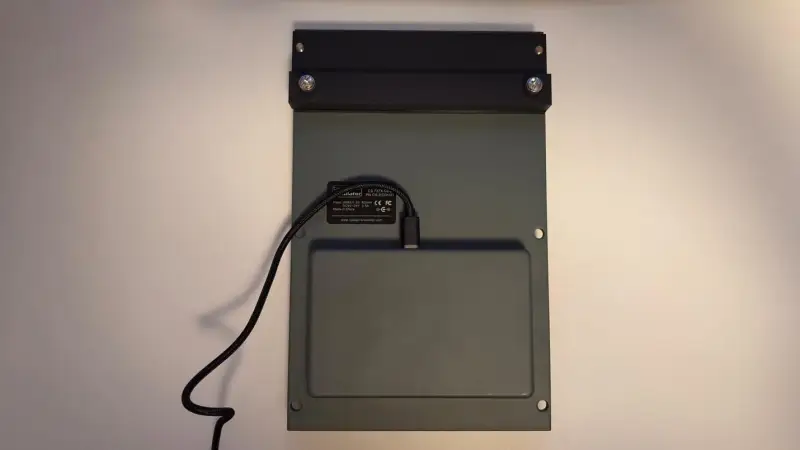
That firm action has a tradeoff: entering a long route manually takes effort. Importing a plan from SimBrief is much more comfortable, and the review experience gives a practical reason to make use of that workflow. The tactile feel is most useful when making shorter, deliberate inputs during flight.
Testing in Microsoft Flight Simulator 2024
The CDU was tested with the PMDG 737-800 on three routes: a 45-minute flight from Las Vegas to Ontario, California; a two-hour flight from Phoenix to San Francisco; and a five-hour flight from Oakland to Honolulu. The varied durations let the reviewer assess the device with flights of different lengths.
Setup requires a USB connection and Cockpit-Simulator Bridge software, which must remain open during the flight. The review workflow imported the flight plan, payload and fuel from SimBrief, then used the CDU to select the departure and planned approach. It also covered initial performance data, takeoff calculations, cruise and descent winds, and approach reference information later in the flight.
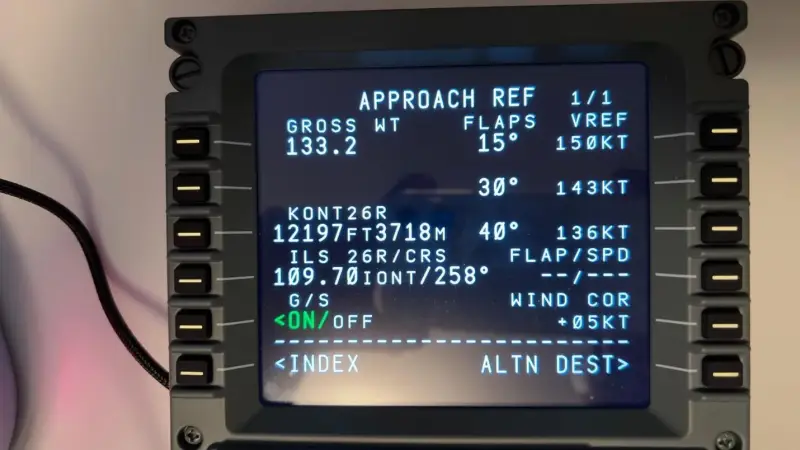
In use, the physical controls make a clear difference to the pace of interaction. Instead of moving the cockpit camera to the virtual CDU, zooming in and operating it with a mouse, the pilot can enter commands directly on the hardware. That can be especially useful when handling a direct-to instruction soon after takeoff, while still hand-flying: the input can be made without taking attention away from the Primary Flight Display.
Inputs appeared almost instantly on both the hardware screen and the simulator’s CDU, making the two feel closely synchronized. Pages changed readily, including with longer flight plans loaded. The hardware also reproduced the PMDG 737-800’s aircraft-specific options, along with the virtual unit’s formatting, fonts and colors. In these tests, the screen acted as a close reflection of the simulator interface rather than a simplified display.
Who it’s for
The CS 737X CDU v2 combines a convincing physical build with responsive simulator integration. The enclosure and keys provide much of the tactile character, while the display reproduces the 737 interface closely despite its more reflective cover. Its practical benefit is direct access to flight management controls, which can make cockpit tasks faster and keep interaction focused on the aircraft.
At $799, it’s a substantial purchase for a peripheral that serves a specific aircraft type and setup. The strongest fit is a high-end home cockpit built around 737 flying, where its scale, construction and physical workflow can be used regularly. For simmers assembling that kind of setup, the CDU offers an immersive control surface; the price makes the decision a deliberate investment in cockpit hardware rather than an easy upgrade for every simulator user.


