Managed Deep Agents v0.10 Adds Browser Control and Background Subagents
- Cargo
- Machine Learning
- Shipped
- Shipper
- James Jones
- Readers
- 448
Version 0.10 adds browser tasks with human login handoff, asynchronous subagents, and updates to Slack threads, run control, and project configuration.
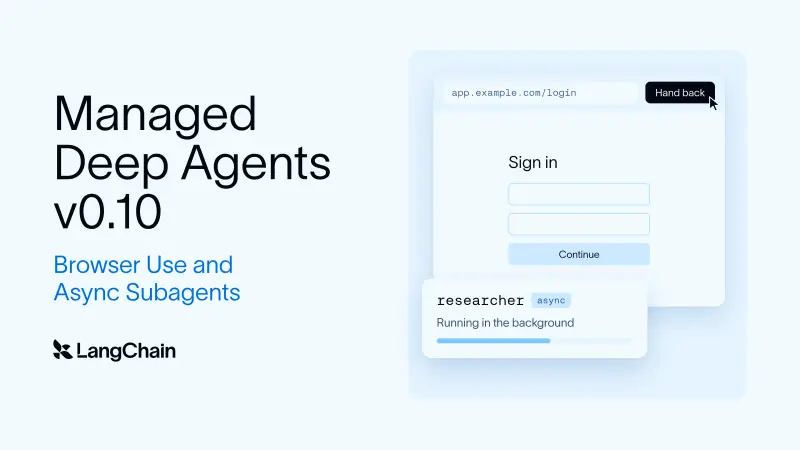
Managed Deep Agents v0.10 gives agents two capabilities that change how they handle work beyond a conversation: they can operate a browser on sites without APIs, and they can delegate lengthy tasks to subagents while continuing to respond to the user. The release also updates how runs connect to Slack threads, how people stop work, and how projects define tools and identities.
Browser access includes a human login handoff
Many useful tasks happen on websites designed for people, including booking travel, canceling a subscription, and filing a claim. An agent can reason about those workflows, but a plain HTTP fetch may return a page before its JavaScript has rendered and provides no way to click through the interface. Browser use lets an agent inspect and interact with the rendered page instead.
To enable it, a project declares a browser at its root. This example creates a browser scoped to a conversation, with a 600-second idle lifetime:
from managed_deepagents import define_browser

browser = define_browser(scope="thread", idle_ttl_seconds=600)
The browser runs in a LangSmith sandbox. Managed Deep Agents makes four tools available to the agent: browser_snapshot reads the page’s accessibility tree and assigns IDs to elements; browser_run navigates and carries out actions using JavaScript or those IDs; browser_screenshot captures the page; and browser_handoff gives a person control of the browser window.
Browser scope determines how sessions and logins persist. The default gives each conversation its own browser, reused across turns but isolated from other conversations’ cookies and logins. Setting scope="user" gives each signed-in person one browser shared across their conversations, so they can stay signed in between threads.
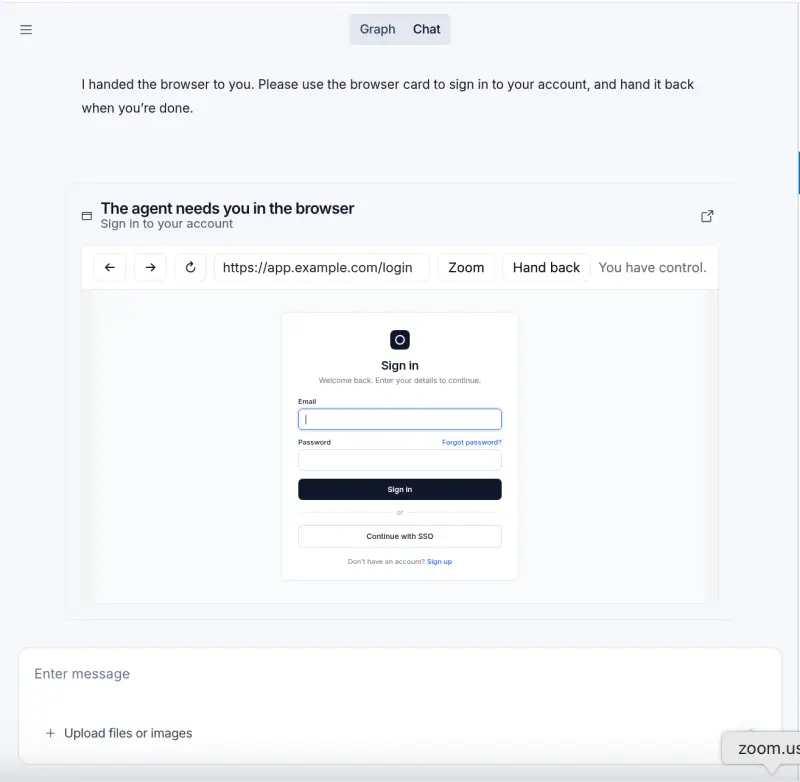
The handoff is designed for steps such as signing in or answering a two-factor prompt. The agent calls browser_handoff(reason) to explain why it needs help, and supported channels such as Slack and Studio provide a link to the remote browser. A person completes the step and selects Hand back; the agent then checks the page and resumes. The password stays out of the model’s messages and traces. The handoff returns immediately, allowing the agent to continue other work while it waits, and its link expires after 15 minutes. Custom clients can display the handoff artifact themselves.
Subagents can work without blocking the conversation
Previously, a Managed Deep Agents subagent ran inline: the main agent waited for the helper’s result before continuing. That remains useful for quick tasks, but it holds up the conversation when delegated work takes longer or several agents need to work in parallel.
Version 0.10 adds asynchronous subagents. Add "async": True to a subagent definition, and the task runs on its own thread while the orchestrator keeps responding. The orchestrator can start, inspect, update, or cancel these tasks with async task tools. Served agents also have a background general-purpose subagent available, letting them choose at runtime whether to delegate work in the foreground or background.
subagents=[
    {
        "name": "researcher",
        "description": "Researches a topic in the background.",
        "system_prompt": "Research the topic and report your findings.",
        "async": True,
    },
]
Completion notifications arrive without the agent repeatedly checking for them. If the orchestrator is busy, it checks for finished tasks before its next model call. If it is idle, the result wakes it with a new run. If it is paused while waiting for a person’s approval, the approval remains pending and the result arrives after the person responds.
Async subagents share the agent’s sandbox, so they can use files the agent has already created. Their runs appear beneath the parent agent’s run in LangSmith. In Slack, subagent approvals return to the thread where the request began; responding there resumes the subagent.
Thread context and operational changes
The new runtime.thread record tells tools where a thread originated and who is participating. That context lets a resumed Studio run, a scheduled run, or a subagent wake-up send its reply to the original Slack thread. Slack threads also gain a native Stop button to cancel their runs, and Studio can cancel runs associated with Slack threads.
Channel handlers are experimental. The onEvent setting determines what happens for different Slack events, including mentions, direct messages, other messages, and button clicks. The status setting controls the status shown in Slack during a run, while reply: "none" leaves the response to the agent.
Teams can choose which Slack app to use when creating a channel with mda deploy: one managed through LangSmith, a new app created from a manifest, or an existing app. The new resolveUser option maps a channel sender to a user in a team’s own system, so tools can retrieve that person’s account and permissions. It can be implemented as a function or configured to call an endpoint, and attached to an identity declaration for every channel or to one channel.
There are migration changes for existing projects. connectors.mcp() and the connectors/ layout have been removed; MCP servers now belong in tools/mcp.ts or tools/mcp.py. The sandbox scope option is also gone. For LANGSMITH_* variables, shell environment values now take precedence over values in a project’s .env file.
Availability
Managed Deep Agents v0.10 is available in public beta. A new project can be initialized and deployed with:
uvx --from managed-deepagents mda init my-agent
cd my-agent
uv run mda deploy
The practical change is that agents can now carry browser workflows across login steps and delegate longer jobs without leaving the user waiting in a blocked conversation. For teams adopting the release, browser session scope and the removed project settings are the details to account for first.


